
Wall of Love is a feature in Magic Testimonials that allows you to automatically create a beautiful, infinitely loading page that displays all of your testimonials. This guide will teach you how to set it all up.
Firstly, open the Wall of Love page.
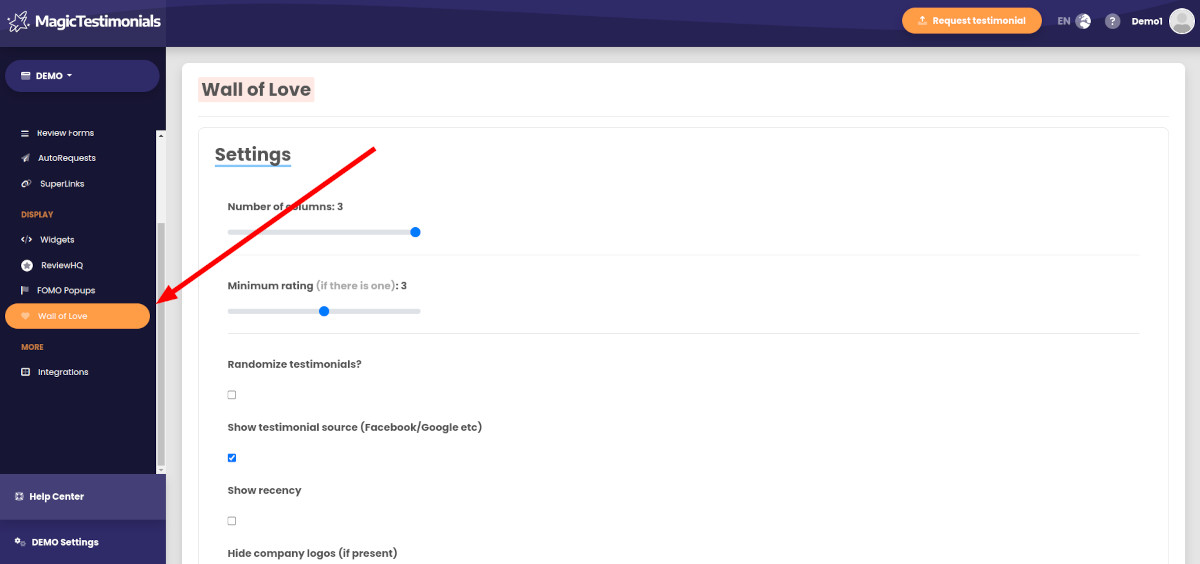
Settings #
You have multiple options to customize your Wall of Love. Most of them are self-explanatory, but we’ll explain some of the most useful options.
Number of columns #
The testimonials can be shown in up to 3 columns. The Wall of Love is fully responsive, meaning that on a mobile device a 3-column page will resize to a single column.
Minimum rating #
A minimum star rating for testimonials/reviews. This is useful if you want to hide low-rated testimonials/reviews.
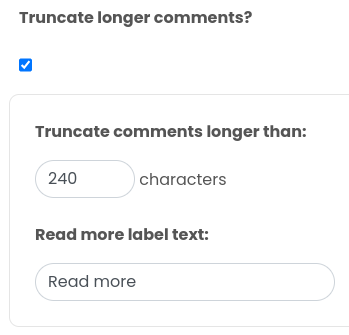
Truncate longer comments #
If your testimonials are too long and some of them take up too much space on your website, there’s an option to truncate them.
Filter Wall of Love by tag #
If you only want to show testimonials tagged with a certain tag, enable this option and search for a tag. Here’s an example:

Theme #
In the same way you can customize the theme for widgets, the Wall of Love allows you to style the testimonial appearance to suit your brand.
Once you’re happy with the appearance, click the “Create Wall of Love” button. This will activate it and reveal the unique embed code required to make it display on your website:
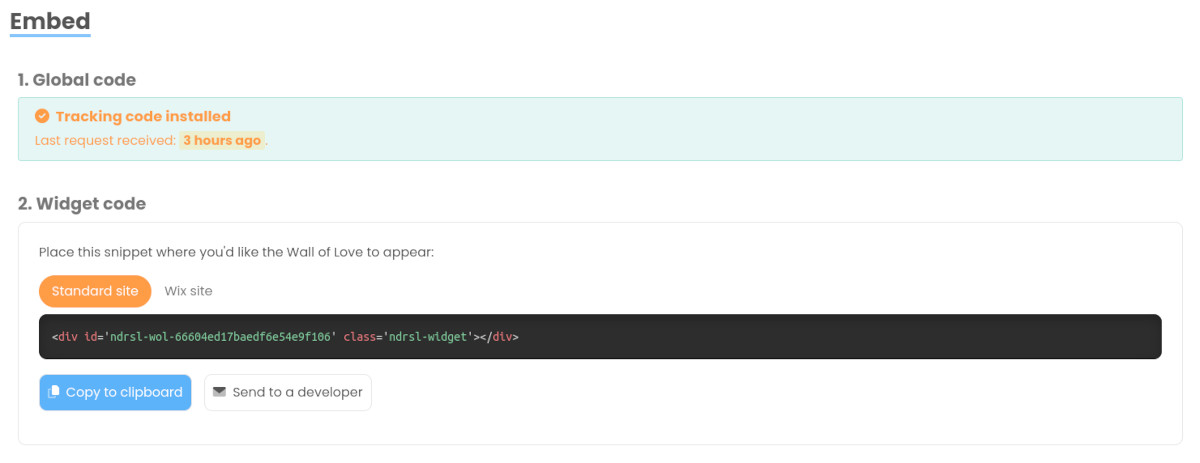
First, make sure that your global tracking code is installed.
Then click “Copy to clipboard” and paste the code on your website where you’d like the Wall of Love to appear.
We recommend creating a new page with a heading and introduction at example.com/wall-of-love with the embed code added below that. This way, you’ll have an infinitely loading page.
Congratulations, your Wall of Love is set up!


