
In order for Magic Testimonials widgets, FOMO popups and Wall of Love pages to display, you need to install the global tracking code.
Please note that the tracking code is unique to each property.
To do that, open Property Settings -> Code.
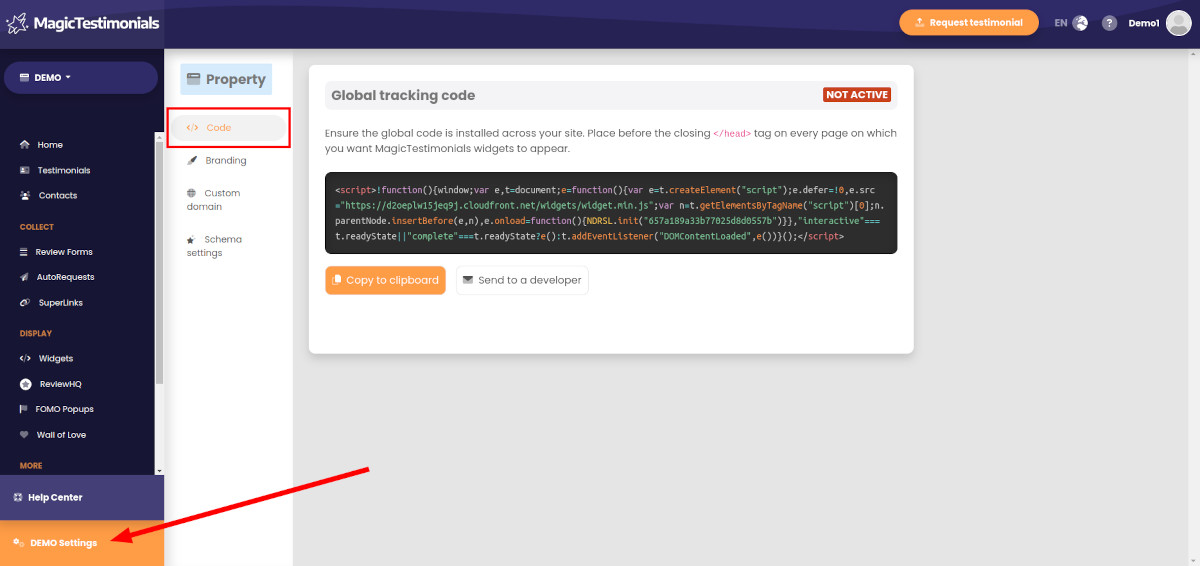
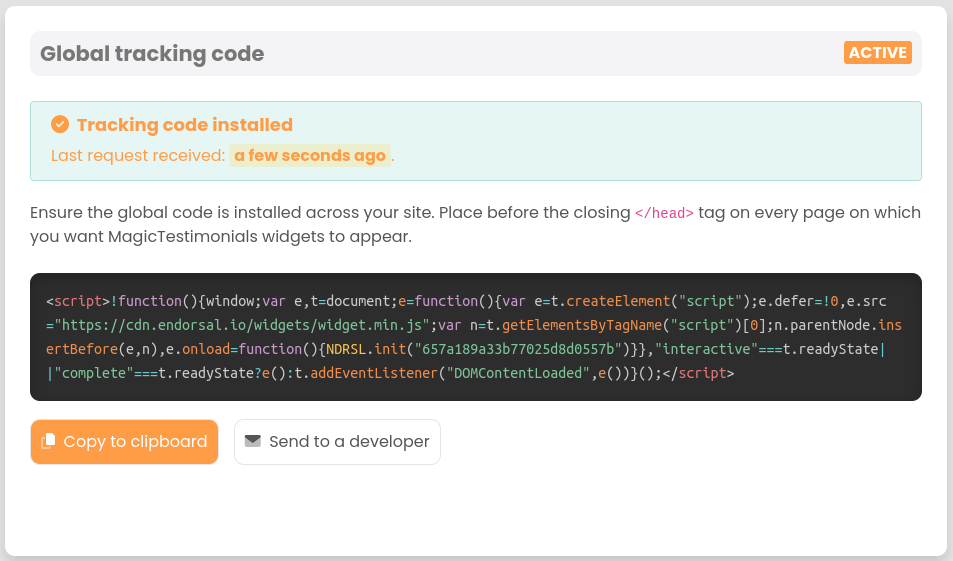
Here you’ll see the tracking code in question:
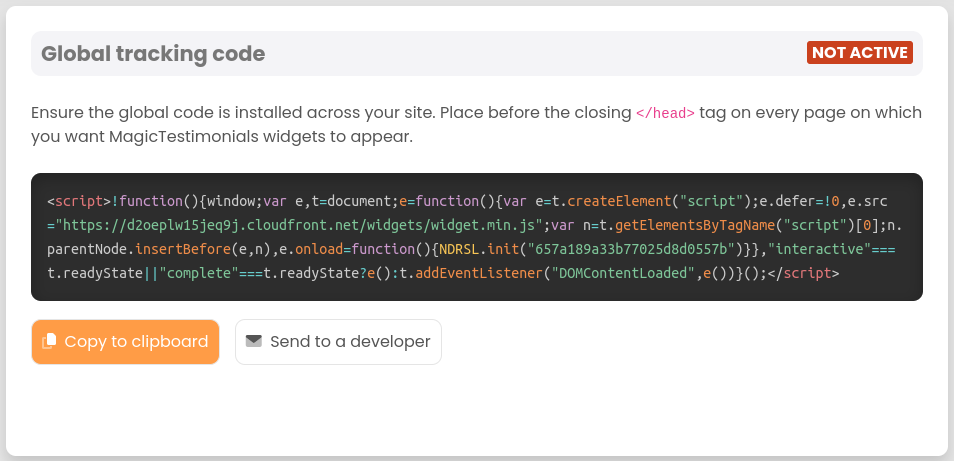
You need to add the global code to every page on which you’d like Magic Testimonials items to appear.
Click the “Copy to clipboard” button and paste the code into your website template before the closing </head> tag.
If you’re using WordPress + Elementor editor, here’s the easiest thing you can do:
Go to Elementor -> Custom Code -> Add New.
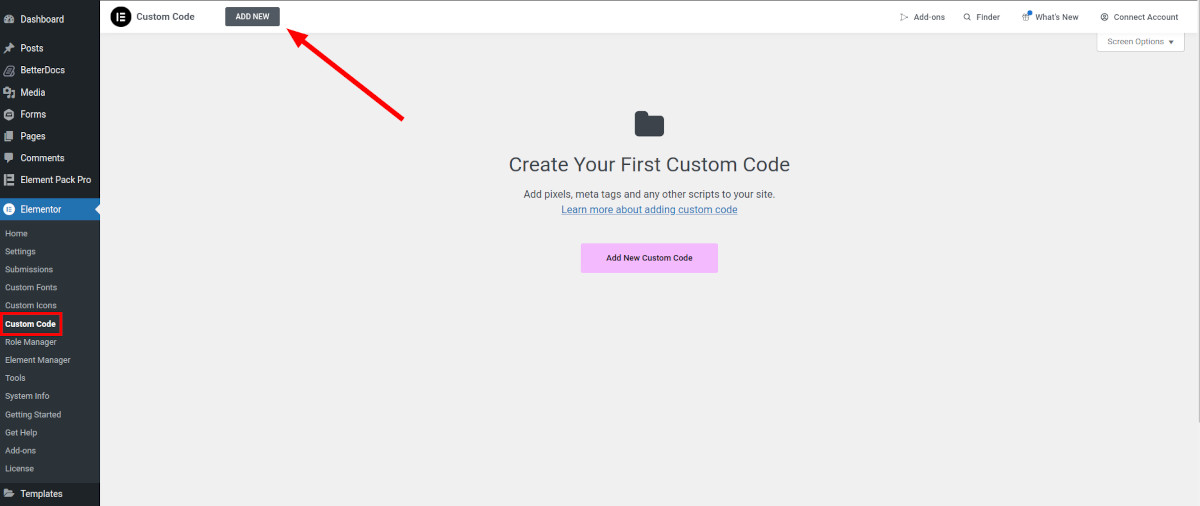
Enter the title, select <head> as location, leave priority as is and paste the tracking code. After that, click the “Publish” button.
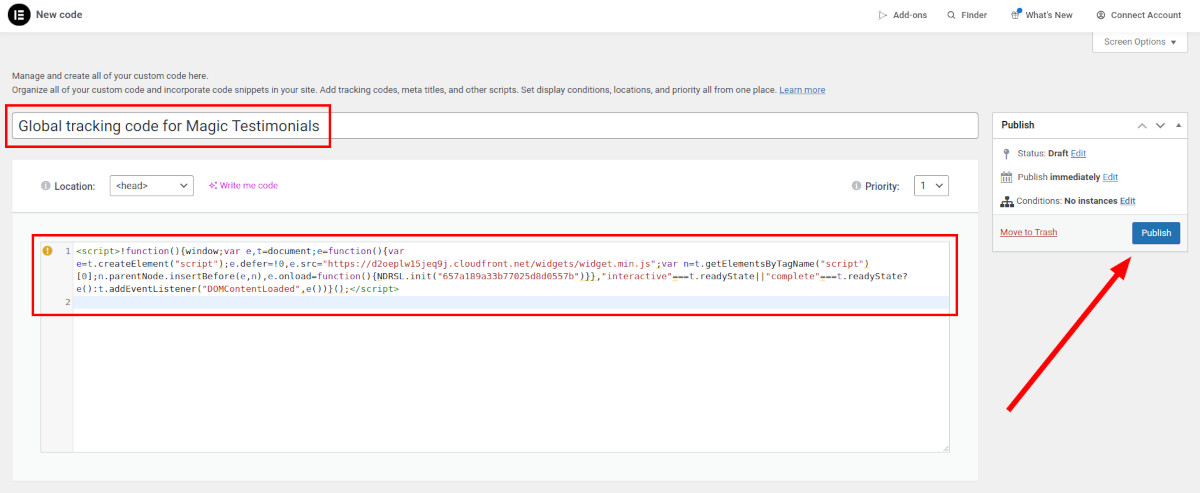
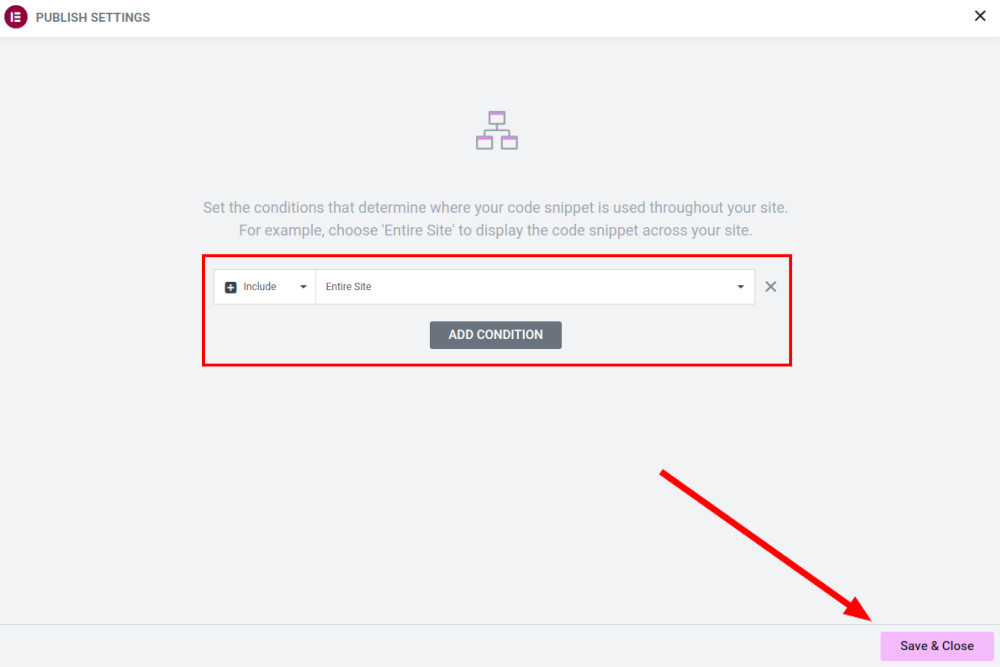
The popup will appear. In this case, you don’t have to change the conditions because we want to have the global code throughout the entire website. Click the “Save & Close” button.
If you use WordPress but not the Elementor editor, check out this tutorial.
If you’re not using WordPress at all, find a tutorial on the internet on how to do it for your CMS or website builder.
Once you’ve added the code to your live website, open it in a new tab and refresh the page. You’ll then see that the status in Magic Testimonials has changed to ACTIVE:
Congratulations! Your global tracking code is now installed.


