
Review Forms can be easily and securely hosted on your own domain.
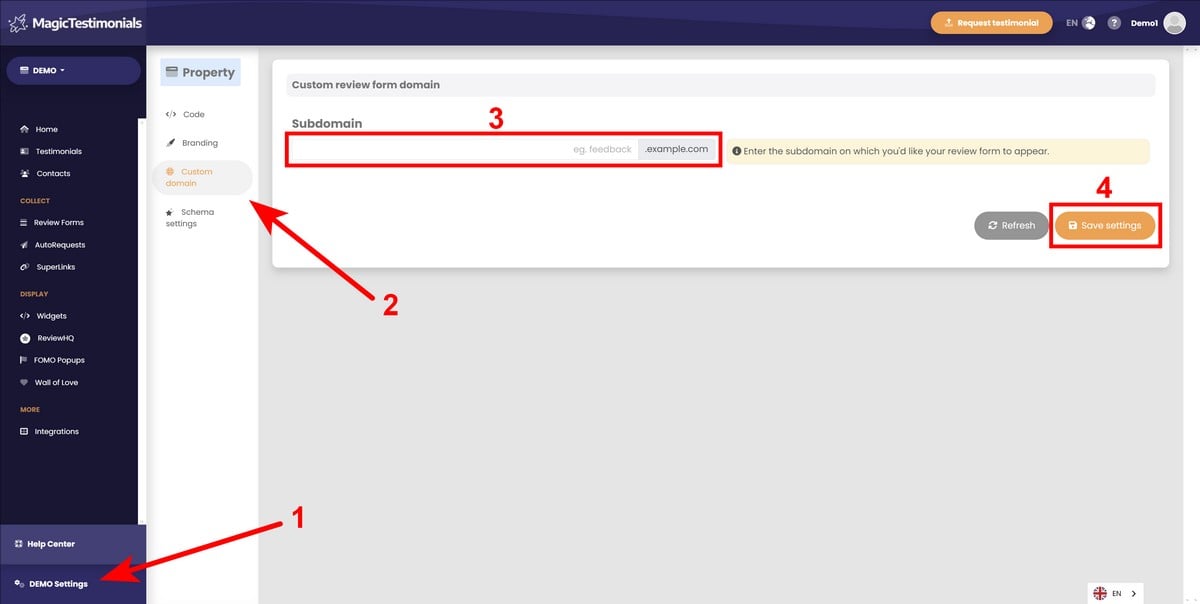
Head to Property Settings → Custom domain and add the subdomain you’d like to use, eg. feedback.example.com or review.example.com. Click the “Save settings” button.
You’ll then need to add two DNS records to your hosting provider, both of the type CNAME.
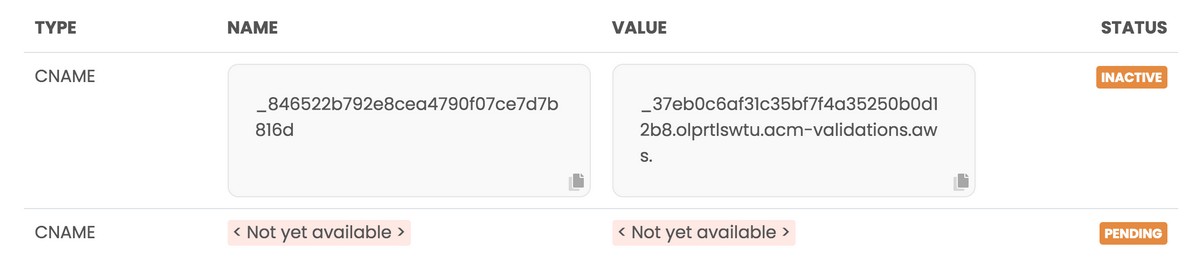
The first record will appear straight away, while the second one relies upon the first having been set to ACTIVE.
Once you’ve added the first record, allow it to propagate or force a DNS refresh. Then head back to Magic Testimonials Display App. Once record one is ACTIVE, record two will appear.

Add the second record and again allow it to propagate the Internet – this may take up to 24 hours.
Once complete, your Review Forms will be available at a secure site such as feedback.example.com or review.example.com.


